


Millionaire 2026 Quiz & Trivia
4.43.22K Reviews
App Specs
- Version
- 1.8.5.5
- Updated On
- License
- Free
- Downloads
- 100,000,000+
- Developer
- Quiz & Trivia Games by Submarine Apps
- Categories
- Trivia
- Platform
- Android, iOS
Screenshots


 Analysis by AppCompare
On a shared phone or tablet, a trivia game can become an easy way to fill a few quiet minutes together. I can picture one person answering while everyone else calls out guesses, then passing the device to the next player. Millionaire 2026 Quiz & Trivia has the familiar quiz-show framing to make that kind of casual play inviting, though I’d treat it as a game to enjoy together rather than a dependable way to keep separate household profiles or track everyone’s progress.
One device, several players
For a relaxed household session, the simplest approach is to agree who is playing before starting. That avoids confusion if a shared device is already being used for someone else’s game, and it keeps any achievements or leaderboard activity from being mistaken for a personal record. The app is a better fit for taking turns or making a group guess than for managing a family competition with detailed individual histories.
A realistic use is a short round while dinner is cooking: one person reads the question, the others debate the choices, and the device stays with whoever is answering. The format gives people a clear prompt to discuss, but it also means quicker players may dominate unless everyone agrees to pause and let quieter family members think. I’d make that small ground rule part of the fun, especially with children who are still building confidence.
Keep expectations clear on a shared device
If different people take turns on the same device, don’t assume that switching players will create separate accounts or keep progress entirely apart. I’d avoid entering personal details on behalf of someone else and would check the current on-screen options before making any account or purchase decision. For a shared tablet, it’s also sensible to keep the device owner nearby when a younger player is using it, rather than treating the game itself as a household-management tool.
That boundary matters because the appeal here is quick trivia, not family administration. If you want separate profiles, parental controls, or a carefully organized league for several household members, a platform built around those needs will be a better match. This game can still work well for informal turns, provided everyone understands that the device and its activity may be shared.
Making a group session work
In a group, I’d use the questions as conversation starters rather than turn every answer into a test. Give everyone a moment to think before revealing a choice, and let players explain their reasoning afterward. That makes the game more welcoming when knowledge levels differ, and it gives a wrong answer some value: it can prompt a quick discussion instead of ending the fun.
There’s a trade-off between playing at the game’s pace and making room for a household conversation. If the game moves on before everyone has weighed in, the fastest person gets most of the say. Taking turns choosing who answers is a simple workaround, although it won’t change any in-game records or mechanics. For a more structured evening, a physical quiz book or a party game designed specifically for teams may be easier to coordinate.
Worth Reading Before You Choose

Baby Panda World Brings Quick Play to Modern Phones, but Its Game Library Feels Busy

ESPN’s Live Game View Makes Following Close Games Easier

QuizzLand Review: A Good Fit for Short Trivia Breaks, Not Every Player

Basketball Stars: Multiplayer Is Fast, but Can It Recover When Matches Go Wrong?

WEBTOON Turns Phone Updates Into a Better Reading Routine

Link to Windows Runs on Shared Habits, Not Social Feeds
Age, trust, and the right fit
The game is rated Everyone, so its stated age classification is broad; that alone doesn’t tell me whether every child will enjoy its questions or handle the competitive elements comfortably. I’d try a round alongside younger players and see whether the pace, subject matter, and on-screen prompts feel suitable for them. An adult can also help explain unfamiliar topics without turning the session into a lesson.
It’s free to play, which makes it easy to try, but free-to-play games may include advertising. I found that ads can appear occasionally, and the original review notes an option to remove them. Before making a decision about that option, I’d look at its current terms on the device rather than assume what it costs or how it works. If ads interrupt a child’s play or a shared session, that may be a reason to choose an ad-free alternative instead.
Who will enjoy it—and who may prefer something else
I’d recommend it to people who like general-knowledge questions, enjoy the tension of choosing among answers, and want a low-effort game they can pick up for a short session. It can also suit a household that is happy to share one screen and keep the competition light. The developer is Quiz & Trivia Games by Submarine Apps, and the game has a 4.4 average from around 374,000 ratings, with over 100 million installs. That reach suggests it has broad appeal, though popularity can’t tell you whether its style suits your family.
Compared with a trivia app focused on a single subject, this one is the more natural choice when players want variety and the recognizable quiz-show structure. A dedicated party game may be better if teams, turn order, or face-to-face group play are the main priority. A study-focused quiz tool is preferable if you need lessons, topic control, or progress tracking. I wouldn’t choose this as a substitute for those more specialized options.
It is also worth separating entertainment from learning. Answering questions can expose you to topics you don’t know well, but I wouldn’t rely on every round as a structured course or assume that a correct answer provides enough context to understand a subject. When a question sparks curiosity, looking up the topic afterward is a more useful way to turn a quick game into genuine learning.
The game is free and its content rating is Everyone, but neither point guarantees that it is the right choice for every household. If your main concern is keeping play ad-free, controlling exactly what a child sees, or preserving separate records for each family member, check those needs before settling in. For occasional shared play, those limitations may be manageable; for a tightly supervised or highly organized setup, another option will likely be less frustrating.
It has been available since May 23, 2019, and version 1.8.3.5 supports devices running Android 7.0 or later. I’d check compatibility on the device you plan to use, particularly if it is an older shared tablet. The game’s basic appeal is easy to understand, but I’d still try a short session before making it part of a regular family routine: that quickly reveals whether the question mix, pace, and interruptions suit the people who will actually play.
Have you ever wished you could step into the shoes of a quiz show contestant right from your couch? Well, it’s time to test your trivia chops because Millionaire 2026 Quiz & Trivia is here to make that dream a reality. Available on both Android and iOS, this app promises to deliver all the nail-biting tension and triumphant highs of a TV quiz show, and I couldn’t wait to dive in and see if it lives up to the hype.
First Impressions
As soon as I launched the app, I was greeted with a slick interface that’s both intuitive and visually appealing. It’s clear that the developers put a lot of thought into the design, making it easy for both seasoned quiz enthusiasts and newcomers to navigate. The app opens up with a quick tutorial, which is super helpful if you're new to these types of games.
The main menu offers several options, including starting a new game, checking your achievements, and accessing the leaderboards. I was immediately drawn to the vibrant colors and the smooth transitions between screens. Everything felt polished, which is always a good start.
Gameplay Experience
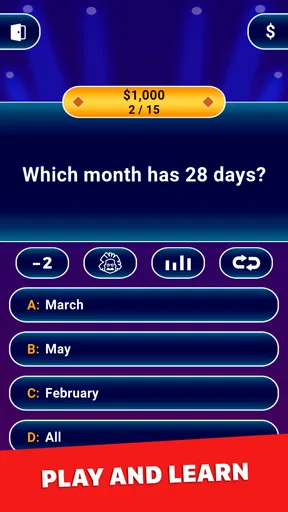
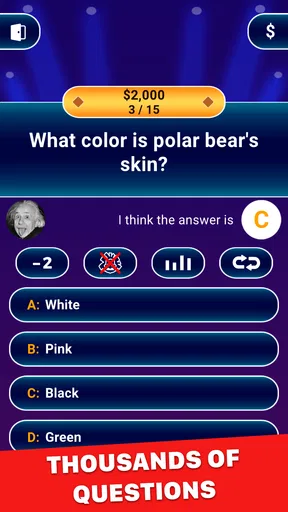
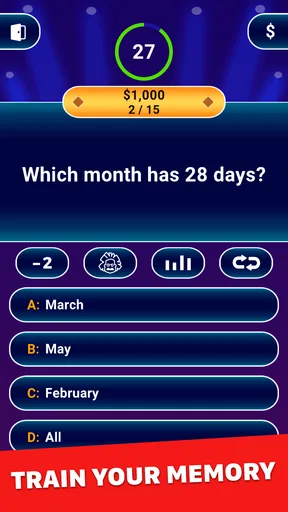
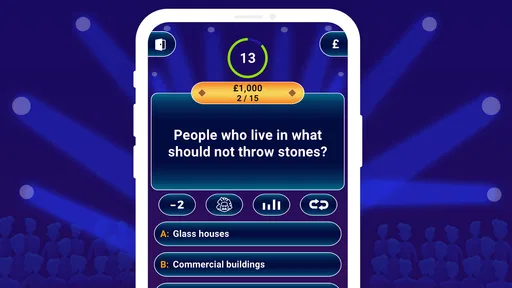
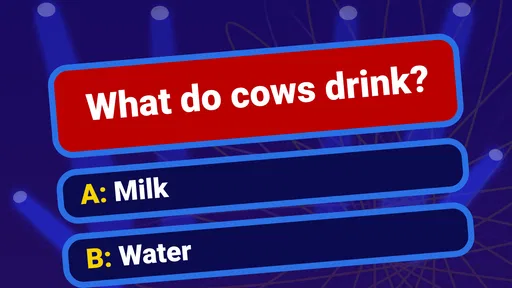
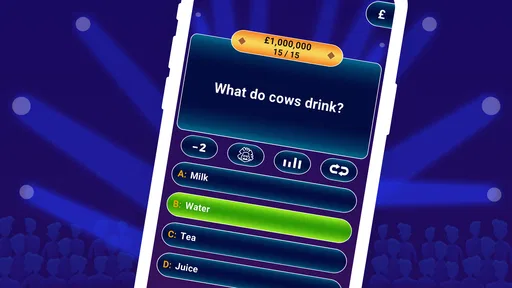
Jumping into the game, Millionaire 2026 Quiz & Trivia offers a format that’s familiar yet fresh. You’re presented with a series of questions of increasing difficulty, each with a choice of four possible answers. It’s a classic setup, but with a modern twist that keeps you on your toes. As you answer correctly, you climb up the money ladder, aiming for that elusive millionaire status.
The questions are varied and cover a wide range of topics, from pop culture and history to science and geography. This diversity kept me engaged, as I never knew what was coming next. The lifelines are a nice touch, giving you the chance to phone a friend, eliminate two incorrect answers, or poll the audience. They’re reminiscent of the classic TV show, adding a layer of strategy to the game.
Features that Stand Out
One of my favorite features is the multiplayer mode. You can challenge friends or random opponents, which adds a competitive edge to the game. There’s something thrilling about going head-to-head with another trivia buff to see who can reach the top first. The leaderboard is also a fun addition, allowing you to see how you stack up against others globally.
Another standout feature is the daily challenges. These keep the game fresh, offering new questions and scenarios every day. It’s a great way to keep players coming back for more, as there’s always something new to tackle.
A Few Thoughts
While there’s a lot to love about Millionaire 2026 Quiz & Trivia, there are a couple of things that could be improved. Occasionally, I noticed that some questions repeated, which can be a bit of a bummer if you’re playing frequently. It’s not a deal-breaker, but more variety would definitely enhance the experience.
Additionally, while the ads aren’t overly intrusive, they do pop up occasionally. Thankfully, there’s an option to remove them, which is a relief for those who prefer an uninterrupted experience.
Final Thoughts
Overall, Millionaire 2026 Quiz & Trivia is a fantastic app for anyone who enjoys testing their knowledge against a backdrop of competitive fun. The combination of a sleek design, engaging questions, and a variety of play modes makes it a standout in the trivia game genre.
Whether you’re looking to kill some time or seriously sharpen your trivia skills, this app has something to offer. So, if you’re ready to take on the challenge and aim for that millionaire status, give Millionaire 2026 Quiz & Trivia a spin. Who knows? You might just become the next trivia superstar!
Pros
- Engaging trivia questions from various categories.
- User-friendly interface with smooth navigation.
- Regular updates with new questions and features.
- Challenging gameplay that keeps you hooked.
- Offline mode available for playing without internet.
Cons
- Ads can be intrusive during gameplay.
- Limited lifelines in free version.
- Some questions may repeat frequently.
- Leaderboard requires internet connection.
- In-app purchases can be costly.
FAQs for Millionaire 2026 Quiz & Trivia
What is Millionaire 2026 Quiz & Trivia?
Millionaire 2026 Quiz & Trivia is a mobile game inspired by the popular quiz show format. Players answer multiple-choice questions across various categories to win virtual money and progress through increasingly difficult levels. It combines educational content with entertainment, making it ideal for quiz enthusiasts and trivia lovers.
Is Millionaire 2026 Quiz & Trivia free to play?
Yes, Millionaire 2026 Quiz & Trivia is free to download and play. However, it may include in-app purchases for additional features such as extra lives, hints, or ad removal. These purchases are optional and designed to enhance the gaming experience without being necessary for progress.
What kind of questions can I expect in the game?
The game features a wide range of questions covering topics like history, science, entertainment, sports, and general knowledge. Questions are designed to challenge players' intelligence and knowledge, with difficulty increasing as you advance levels. Regular updates ensure a fresh supply of questions to keep the gameplay engaging.
Can I play Millionaire 2026 Quiz & Trivia offline?
While Millionaire 2026 Quiz & Trivia offers some offline functionality, an internet connection is recommended for the best experience. Online play allows access to the full range of questions, daily challenges, and leaderboards, ensuring that players can enjoy all the features the game has to offer.
How does the game handle incorrect answers?
If you provide an incorrect answer in Millionaire 2026 Quiz & Trivia, you may lose a life or progress reset, depending on the game mode. However, the game occasionally offers options like hints or lifelines to help players continue. This adds an element of strategy and encourages learning from mistakes.


